
If you've decided to take a break from Muscle Charge, we've made it easy to cancel your subscription at any time. You're always in control, and you can return whenever you're ready to continue your training journey.
Option 1: Cancel directly in the app
To cancel through the app, follow these steps:
- Open the Muscle Charge app on your device.
- Tap on My Profile in the menu.
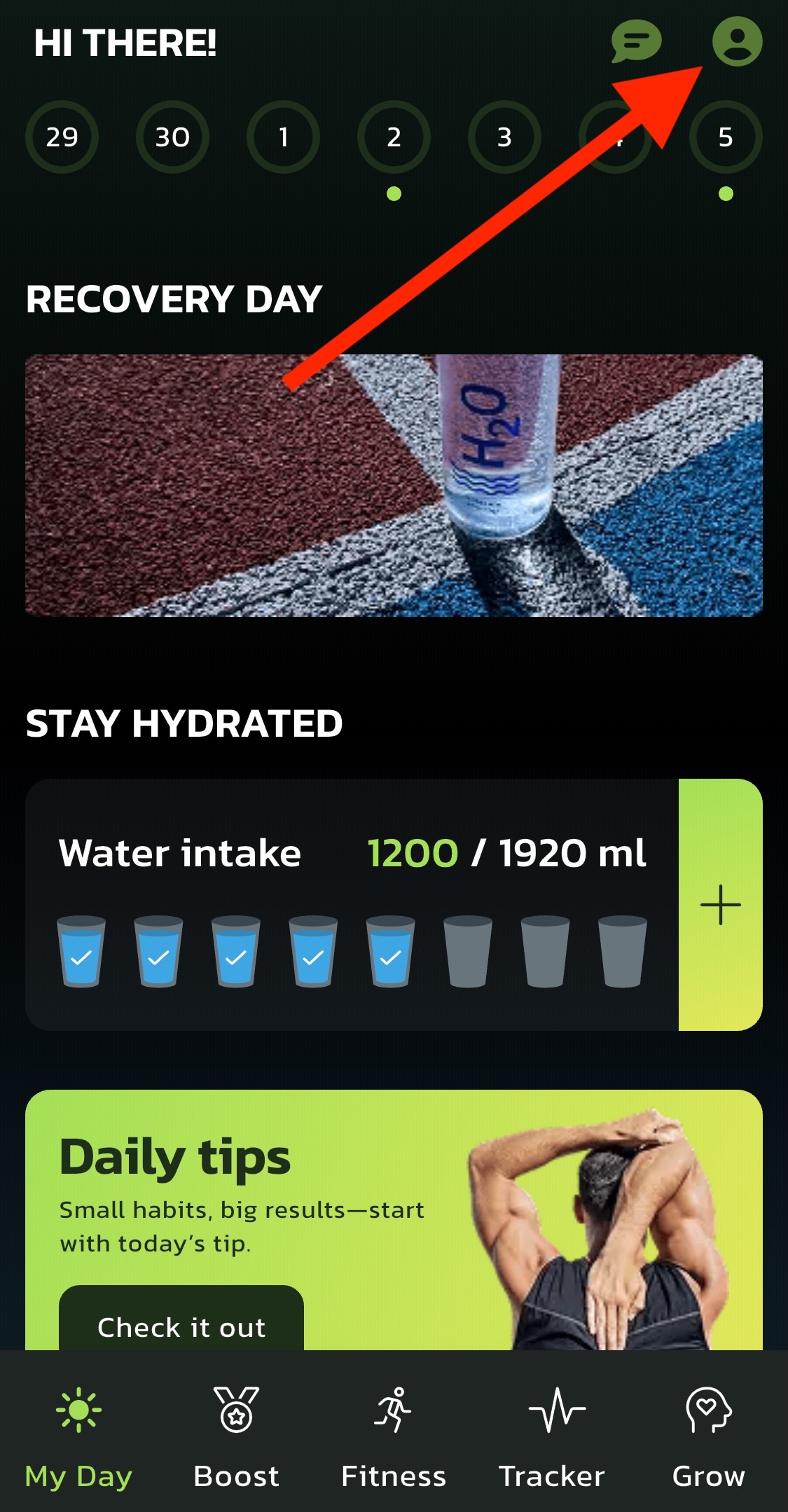
- Go to Settings.
- Select My Subscription.
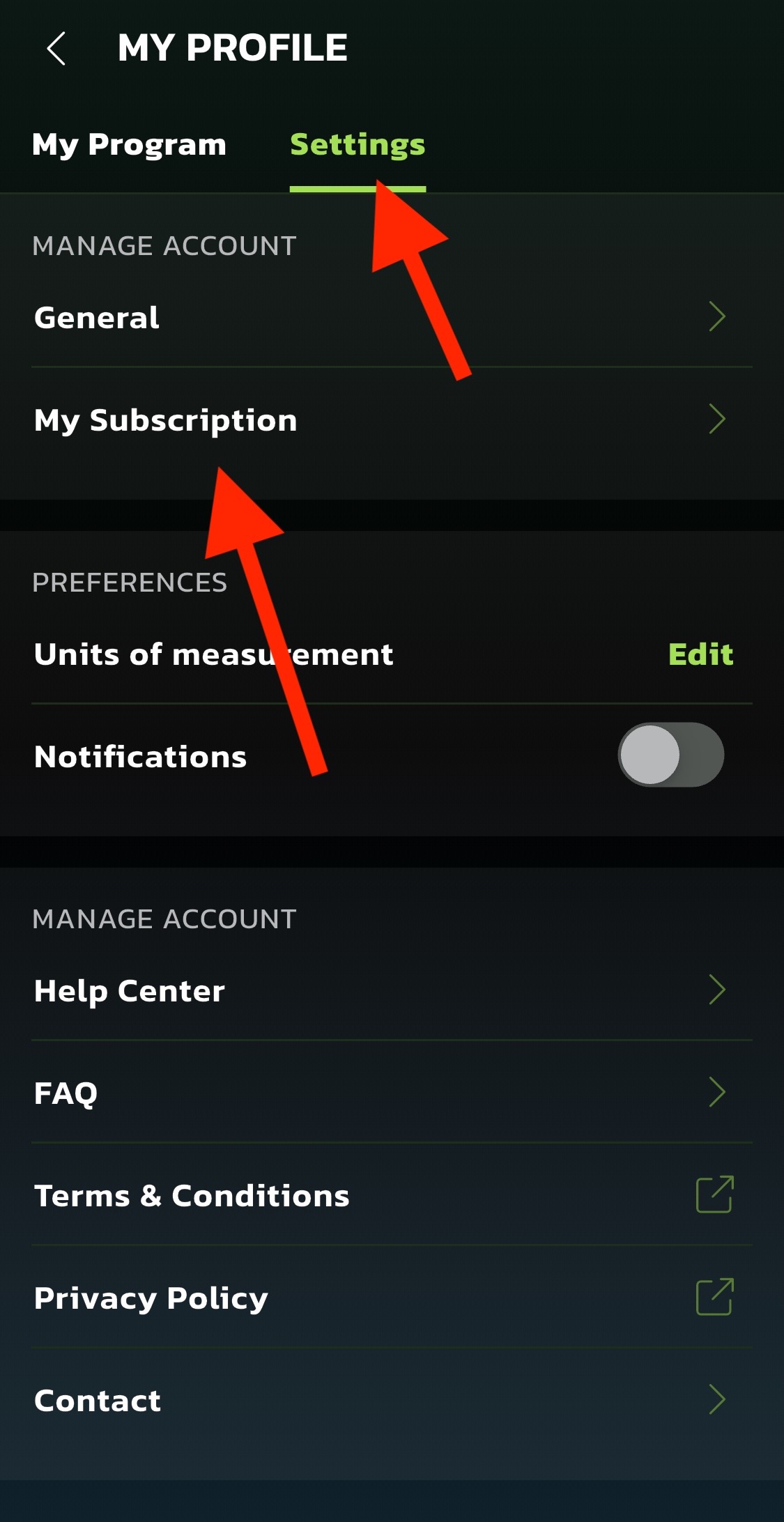
- Follow the prompts to complete the cancellation.
Once your subscription is canceled, you'll receive a confirmation email. You'll still have access to the app for the remainder of your billing period.
Option 2: Contact our support team
If you prefer, our support team can take care of the cancellation for you.
You can reach us by:
- Sending an email to help@musclecharge.app
- Clicking the chat icon at the bottom of this Help Center page.
Our team does its best to reply as quickly as possible. While we usually respond within a few hours, please allow up to 24 hours during busy periods.
Still have questions? Don't hesitate to reach out — we're here to help!
Sources
FAQs
Will I lose access immediately after canceling my Muscle Charge subscription?
No. After canceling, you will keep full access to your program until the end of your current billing period. You can continue your workouts and meal plans until that date.
Can I reactivate my subscription after canceling?
Yes. You can resubscribe at any time by signing up again through the Muscle Charge website or app. Your previous progress and preferences may still be available depending on how long your account has been inactive.
I canceled but I am still being charged. What should I do?
If you are still seeing charges after canceling, please email help@musclecharge.app with your account details and a screenshot of the charge. Our team will investigate and resolve the issue as quickly as possible.
Can I pause my subscription instead of canceling?
Currently, Muscle Charge does not offer a pause option. However, if you need a temporary break, you can cancel and resubscribe when you are ready to continue your training journey.
How do I know my cancellation was successful?
You will receive a confirmation email once your subscription has been canceled. You can also verify by checking the My Subscription section in your app settings, which will show your subscription end date.